
 Isabel Parker
Smart glasses look like regular eyewear, but some can secretly record video and audio of everything around them.
With companies like Meta selling these high-tech glasses to millions of people, you might be filmed without even knowing it.
Learning to spot the signs of recording glasses can help protect your privacy in public spaces and private conversations.
1. Watch for Tiny LED Lights on the Frame

Most smart glasses have a small LED light that turns on when recording starts.
Meta’s Ray-Ban Stories, for example, show a white light on the right temple during video capture.
This safety feature was designed to alert people nearby that recording is happening.
The problem is that this light can be incredibly hard to spot.
In bright sunlight or well-lit rooms, the tiny LED practically disappears.
Some people have even covered these lights with tape or stickers to record without detection.
Pay attention to the temple area of suspicious glasses.
Look for any small glowing dots or blinking lights, especially in dimmer environments where they’re easier to see.
2. Check the Frame Thickness and Design
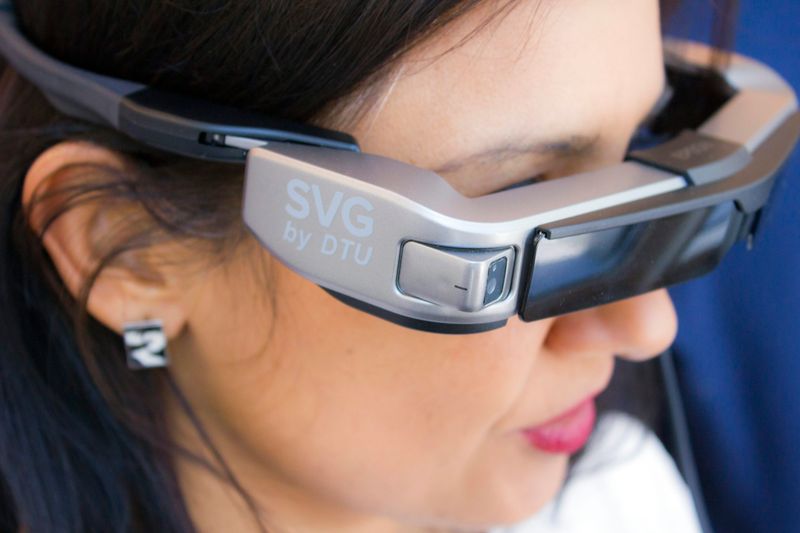
Smart glasses need space for cameras, batteries, and computer chips.
This means the temples are usually thicker than normal eyeglasses.
Regular prescription glasses have thin, lightweight arms, while recording glasses often look bulkier around the sides.
The front frame might also look different.
Many smart glasses have a slightly unusual texture or small holes where the camera lens hides.
These design differences help the technology fit inside what looks like ordinary eyewear.
Take a quick glance at someone’s glasses from the side.
If the temples seem unusually chunky or have weird bumps and textures, they might contain recording equipment that’s watching everything you do.
3. Listen for Subtle Shutter Sounds

Just like smartphone cameras, some smart glasses make a faint clicking sound when they capture photos or start recording.
This shutter sound serves as an audio warning to people nearby.
However, the noise is often so quiet that it’s nearly impossible to hear in busy places.
In quiet environments like libraries, offices, or small rooms, you might catch this telltale click.
The sound usually happens right when recording begins or when someone snaps a picture.
It’s similar to the camera sound your phone makes, but much softer.
Train your ears to notice unusual clicking noises during conversations.
If someone’s glasses make repetitive sounds, they could be documenting your interaction without permission.
4. Notice Unusual Hand Gestures and Touches

Recording glasses are controlled through touchpads built into the temples.
Users tap, swipe, or press these areas to start recording, take photos, or access other features.
These movements look unnatural compared to how people normally adjust regular glasses.
Someone wearing recording glasses might repeatedly touch the same spot on their temple.
They’re not scratching an itch or fixing their frames—they’re operating hidden controls.
You might see them swipe forward or backward along the temple arm.
Watch for repetitive touching patterns.
Normal glasses wearers push up the nose bridge or adjust the earpieces.
Smart glasses users interact with specific touchpad zones, often on the right temple where most controls are located.
5. Use Detection Apps to Scan for Bluetooth Signals
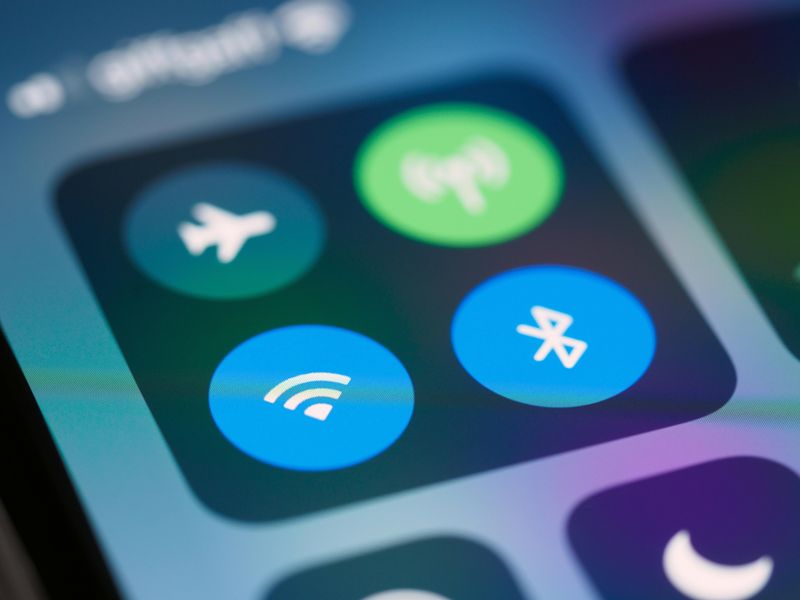
New smartphone apps can detect smart glasses nearby by scanning for their Bluetooth connections.
Apps like “Nearby Glasses” search for the specific wireless signals that recording eyewear broadcasts.
When smart glasses are within range, these apps send you an instant alert.
Smart glasses constantly communicate with smartphones through Bluetooth to transfer videos and receive commands.
This wireless connection creates a digital fingerprint that detection apps can recognize.
The technology works similar to how you find nearby WiFi networks.
Download a detection app if you’re seriously concerned about privacy.
These tools won’t catch every pair of recording glasses, but they provide an extra layer of protection in spaces where you expect privacy.
6. Know Your Rights and Speak Up When Necessary

Recording laws vary depending on where you are.
Public spaces usually allow filming without permission, but private locations like homes, bathrooms, and changing rooms have stronger privacy protections.
Some states require all parties to consent before recording conversations.
If you suspect someone is recording you without consent, you have options.
Politely ask if their glasses have recording capabilities.
Most people will be honest when directly questioned.
In truly uncomfortable situations, simply leave the area and remove yourself from potential recording.
Understanding your legal rights empowers you to protect your privacy.
Don’t be afraid to speak up when something feels wrong, but always approach the situation calmly and respectfully first.
Comments
Loading…